


Holy Bible Study
4.8779.00 Reviews
App Specs
- Version
- 1.6.0
- Updated On
- License
- Free
- Downloads
- 1,000,000+
- Developer
- Emily Yu
- Categories
- Books & Reference
- Platform
- Android, iOS
Screenshots
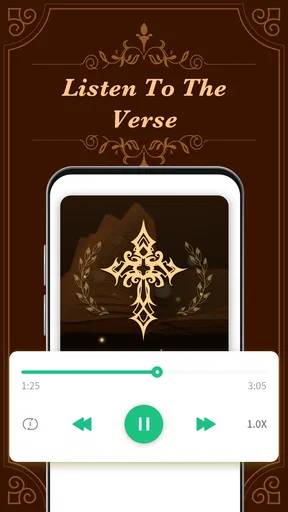

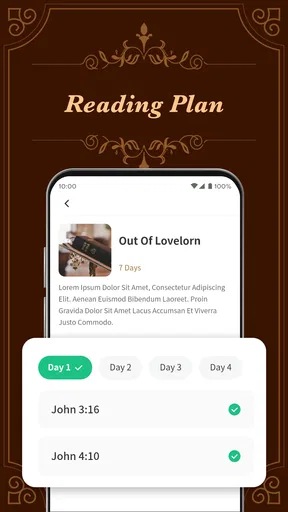
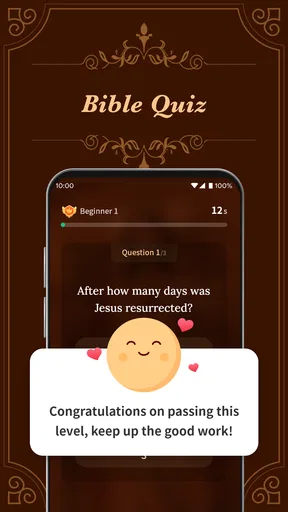
 Analysis by AppCompare
I approached Holy Bible Study as a reading and reference app rather than as a replacement for every Bible resource on a phone. Its purpose is straightforward: help me spend more time with biblical text and understand it more deeply. That focus makes it appealing for quiet personal reading, short study sessions, and anyone who wants a dedicated place for Bible exploration without paying for access.
The app sits in the Books & Reference category and is developed by Emily Yu. It is free to use, rated for Everyone, and has reached over one million installs. Its average rating is 4.8 from around thirteen thousand ratings, with hundreds of written reviews behind that score. Those figures suggest that the basic experience works well for a large audience, but they do not remove the need to check whether its reading style suits you.
My overall impression is positive, with one important qualification: a Bible study app is only useful when it fits naturally into your routine. If opening it feels confusing, if a passage does not load as expected, or if you approach it expecting the depth of a specialist academic library, disappointment can come from the mismatch rather than from the app itself. I found that a few simple habits make the experience much smoother.
Getting past the first points of friction
The first difficulty for many people is not reading the Bible; it is knowing how to begin. A short description such as “Holy Bible Study” tells you the general purpose, but it does not explain the best starting path for a new user. I recommend beginning with one familiar book or a specific passage instead of tapping around without a plan. That gives you an immediate test of reading comfort and makes it easier to decide whether the app belongs in your daily routine.
New users can also get stuck by treating the app like a general search engine. Bible study usually works better when I start with a question, theme, or passage in mind. For example, I might read a short section before work, return to the same section in the evening, and write down one point that needs further thought. This approach turns the app into a steady study tool instead of a place where I jump randomly between references.
Another common source of friction is expecting every Bible app to behave like a printed edition. On paper, I can flip between pages and leave a bookmark wherever I want. On a phone, navigation depends on the way the app presents books, chapters, and passages. I found it helpful to slow down during the first session and learn the movement between sections rather than judging the whole experience after one hurried tap.
The most useful first-session test is simple: open a passage, leave it, return to it, and see whether the route feels natural. That tells you more than the store summary. If the basic reading path already feels comfortable, the app has a realistic chance of becoming part of your routine. If it feels awkward before you have even started studying, another Bible reader may suit you better.
Worth Reading Before You Choose

EA SPORTS FC Mobile 26 Is a Bigger Football Game, but It Takes Time

Flipboard Shows What News Apps Must Do Beyond the Feed

Switching to Android Auto Means Rethinking Your Driving Routine

Google Calendar Makes a Crowded Week Easier to Manage

Ludo King Makes the Most of the Minutes Between Plans

Baby Panda World Brings Quick Play to Modern Phones, but Its Game Library Feels Busy
What to check before blaming the app
When something does not work as expected, I start with the basics. I check that the app finished installing properly, that the phone has enough free space for normal operation, and that the operating system meets the stated minimum of Android 6.0. The current version is 1.6.0, so keeping the installation current is also a sensible first step when the device offers an update.
I also close and reopen the app before trying more complicated fixes. This is especially useful after switching between several apps or leaving a reading session open for a long time. If a screen appears stuck, a clean restart can distinguish a temporary phone issue from a repeatable problem inside the app.
Connection checks matter whenever a page or study element does not appear as expected. I try the same action on a stable Wi-Fi connection and then, if appropriate, on mobile data. If one connection works and the other does not, the problem is probably related to the network path rather than to the passage itself. Restarting the router or briefly toggling the phone’s connection can be more effective than repeatedly tapping the same control.
It is also worth checking the phone’s date and time settings. A device with an incorrect clock can behave strangely with apps that need to communicate with online services. I would not change permissions or reset the application immediately; first I would confirm that the issue happens consistently and note exactly which screen produces it.
For an older phone, I pay attention to how much else is running. A Bible reader is not a demanding game, but a crowded device can still make opening screens, switching chapters, or returning from another app feel slower. Closing unused apps and restarting the phone gives a cleaner test. These checks are ordinary, but they prevent a lot of unnecessary troubleshooting.
A calmer workflow for daily study
My preferred workflow is deliberately modest. I choose one passage, read it without trying to solve every question immediately, and then read it again with a particular purpose. On the second pass, I look for repeated ideas, changes in speaker or setting, and words that seem central to the paragraph. This method works well on a phone because it does not require constant navigation.
For a short morning session, I would open the app before distractions take over, read a manageable section, and pause for a minute. I do not need to finish an entire book to make the session worthwhile. In the evening, I might return to the same passage and compare my first impression with what I noticed later in the day. The value comes from returning thoughtfully, not from rushing through a large amount of text.
A useful recovery habit is to keep a simple external note of where I stopped. I might write the book, chapter, and a sentence about the question I was considering. That protects the continuity of a study plan if I close the app unexpectedly, change phones, or lose track of a passage. It also keeps the app from becoming a single point of failure for my personal notes.
If a reading session is interrupted, I do not immediately assume that my progress has disappeared. I reopen the app, navigate back to the passage, and check whether the issue is only with the last screen. If the app repeatedly returns to an earlier point, I use my note to resume rather than spending the entire session trying to reconstruct what I had read.
For group study, I would prepare the references before the meeting. A phone is convenient for checking a passage, but switching rapidly among several sections can slow a discussion. Writing down the main references in advance makes the app a quick companion rather than the center of the meeting. This is one of the practical trade-offs of mobile Bible reading: it is excellent for portability, but less comfortable than a desk full of open books when many comparisons are needed.
Where expectations can create the wrong diagnosis
Sometimes the app is not the real cause of a poor experience. A small screen can make long reading sessions tiring, particularly for someone who prefers large print or wide page layouts. In that situation, changing the phone’s text settings, increasing display size where available, or moving to a tablet may help more than reinstalling the app.
Reading comfort is also affected by the surrounding environment. Bright outdoor light, notifications, and a weak battery can make a focused study session feel frustrating. I get better results when I silence interruptions and give myself enough time to read without constantly switching tasks. That may sound obvious, but it changes how I judge an app intended for reflection and reference.
There is another important distinction between a reading problem and a study-depth problem. Holy Bible Study can support personal exploration, but someone looking for extensive scholarly notes, original-language tools, historical databases, or a large cross-reference system may need a specialist resource. That is not necessarily a defect. It simply means the app should be evaluated as a practical Bible study companion, not as an entire theological research library.
The same applies to people who want a highly social experience. If your ideal routine depends on group annotations, shared reading plans, or extensive community discussion, a platform built around those features may be a better fit. I would choose this app for focused individual reading and reference, while using another resource when collaboration is the main purpose.
How it compares with familiar alternatives
The usual alternatives fall into three broad groups: a printed Bible, a general e-book reader, and a larger study platform. A printed Bible remains excellent for uninterrupted reading and easy visual orientation. It does not need a battery or connection, and many readers find the physical layout memorable. Holy Bible Study wins on portability and convenience, especially when I want to carry several books in one phone rather than another physical volume.
A general e-book reader may offer a more familiar reading interface, but it is not necessarily designed around biblical navigation. Moving through books and chapters can be less natural when the software treats the Bible as an ordinary long book. A dedicated Bible app has a clearer purpose, even if a specialist platform may provide more advanced research tools.
Larger Bible study services often appeal to users who want many layers of commentary, comparison, and reference material. Their strength is depth; their weakness can be visual complexity. I prefer a focused app when I want to open a passage quickly and keep my attention on the text. I would look elsewhere if my study regularly involves detailed academic comparison or a large collection of supporting resources.
This makes the app particularly suitable for beginners, returning readers, families looking for an accessible reading option, and experienced users who want a lightweight companion. The Everyone age rating also makes it broadly approachable, although parents and educators should still guide younger readers according to their own needs and the context in which the app is used.
Small habits that improve the experience
My first practical tip is to separate reading from investigation. I read a passage once for its overall meaning before chasing individual questions. Otherwise, it is easy to spend the entire session navigating and lose the thread of the text. After that first reading, I return to the words that deserve closer attention.
My second tip is to use short, repeatable sessions instead of waiting for a large block of free time. A few focused minutes can be more sustainable than promising myself an hour and then skipping the app for a week. This is especially useful on a phone, where the app is available during an ordinary pause but also competes with many distractions.
My third tip is to keep troubleshooting notes precise. If a problem returns, I record the passage or screen involved, what I tapped, whether the connection changed, and whether reopening the app helped. That makes it easier to recognize a pattern and gives useful information if I need assistance. “It did not work” is much less helpful than a short description of the exact failed step.
A fourth tip is to avoid judging study quality by the number of screens visited. Jumping through many chapters can feel productive, but it may leave less time for understanding. I get more from choosing a clear purpose, reading carefully, and writing one or two observations than from collecting a long list of open passages.
Who should choose it, and who should skip it
I would recommend Holy Bible Study to someone who wants a free, approachable Bible reference app and values the convenience of carrying a study tool on a phone. It is a sensible choice for personal reading, brief devotional routines, and users who do not want to begin with an overloaded interface.
I would be more cautious about recommending it to a researcher who needs comprehensive academic tools, a reader who strongly prefers paper, or a user whose main goal is social collaboration. Those needs point toward a printed edition, a larger study platform, or a community-focused service. Choosing the right alternative is better than forcing one app to serve every purpose.
The app’s release on September 22, 2023, and its continuing presence at version 1.6.0 give it a clear place in the current mobile reading landscape, while its free price lowers the barrier to trying it. I still suggest spending a real session with one passage before deciding. A high rating and a large install base are encouraging, but personal reading comfort matters more than popularity.
In practical terms, I would install it, confirm that the phone meets Android 6.0 or later, open a familiar passage, and test the return path before building a study plan around it. If the app behaves normally but the reading experience feels cramped, adjust the device or consider a larger screen. If a particular action fails repeatedly after connection and restart checks, document the pattern instead of assuming the whole app is unusable.
My final view is that Holy Bible Study earns a place as a straightforward mobile Bible companion. It is not the right answer for every kind of research, and its usefulness depends on developing a calm reading routine rather than tapping through it without direction. For free access, everyday study, and portable reference, I think it is worth trying. The best reason to keep it installed is not the download count; it is whether it helps you return to the text consistently and with fewer practical obstacles.
Pros
- Offline access lets you read saved Bible content without an internet connection.
- Search tools make it easy to find verses
- books
- and specific biblical terms.
- Bookmarks and highlights help organize passages for future study.
- Reading plans provide structure for daily or topical Bible study.
- Adjustable text size improves readability on different phone screens.
Cons
- Some study resources or translations may require additional purchases.
- The number of available translations can vary by language and region.
- Ads may interrupt the experience in the free version.
- Advanced features can take time to discover and configure.
- Large downloads may use considerable storage space on your device.
FAQs for Holy Bible Study
What is Holy Bible Study, and what can I do with the app?
Holy Bible Study is a mobile app designed for reading and exploring the Bible on Android and iOS devices. It generally combines Bible translations with study tools such as search, bookmarks, highlights, notes, reading plans, and daily verses. Depending on the version installed, users may also find devotional material, audio reading, cross-references, or introductory explanations to support personal study and regular reading.
Does Holy Bible Study work offline?
Many of the app’s basic reading features can be used offline after the required Bible content has been downloaded, which is useful when traveling or when mobile data is unavailable. However, features that depend on an internet connection—such as synchronizing notes, loading online devotionals, downloading additional translations, or displaying advertisements—may not work without connectivity. It is best to check the download settings before going offline.
Is Holy Bible Study free to download and use?
Holy Bible Study may be available as a free download, but the exact experience can depend on the platform and app version. Some features or Bible resources may be accessible without payment, while advertisements, optional subscriptions, donations, or in-app purchases could be included. Before installing, review the store listing carefully to understand which translations, study materials, and premium tools are included at no cost.
Which Bible translations and languages are available in Holy Bible Study?
The available translations and languages can vary according to the app’s edition, developer, licensing agreements, and device platform. Users may find one or more commonly used English translations, while additional languages or versions may need to be downloaded separately. If a specific translation is important to you, verify its availability in the official Google Play or App Store listing before downloading.
Is Holy Bible Study suitable for serious Bible study or only casual reading?
Holy Bible Study can be useful for both casual reading and personal study, particularly when it includes search, bookmarks, highlights, notes, reading plans, and cross-references. Nevertheless, the depth of its study resources may not match a dedicated academic Bible software package with extensive commentaries, original-language tools, or scholarly references. It works best as a convenient mobile companion rather than a complete replacement for printed study resources.


